
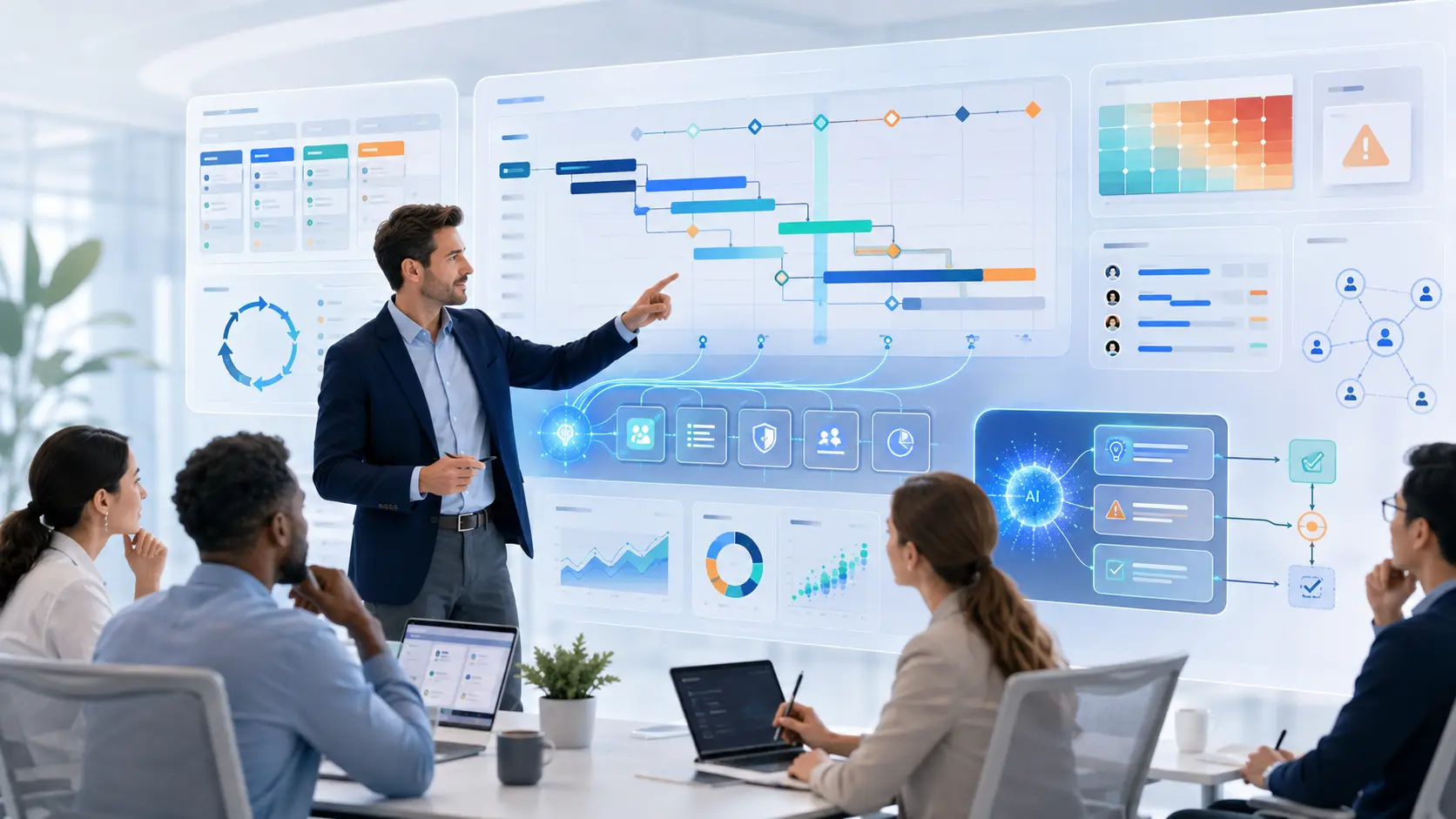
AI in project management is changing how projects are planned, executed, monitored and governed. Project managers can now use artificial intelligence to analyze information, prepare project plans, identify risks, summarize meetings, draft AI-assisted project status reports, support forecasting and improve communication with stakeholders.
This shift is becoming more important in 2026. The PMI Standard for Artificial Intelligence in Portfolio, Program and Project Management, published in June 2026, provides project professionals with a structured approach to using AI responsibly across projects, programs and portfolios. Teams can translate those principles into delivery controls with a practical AI governance for project managers framework. At the same time, frameworks such as the NIST AI Risk Management Framework help organizations manage AI-related risks, while ISO/IEC 42001 provides an organizational management-system standard for governing AI responsibly.
For project managers, however, the most important question is not whether AI is becoming part of project management. It already is. The more useful question is:
How can project managers use AI to improve project outcomes without losing human judgment, accountability and leadership?
This guide explains how AI in project management works, where it can create value, what risks project managers need to manage and how the role of the project manager is likely to evolve as AI assistants and AI agents become more capable. For a focused analysis of that role shift, see Will AI Replace Project Managers?.
Free: 50 AI Prompts for Project Managers
Put AI into practice with ready-to-use prompts for project planning, risk management, stakeholder communication, reporting, meetings and Agile delivery.
Table of Contents
Jump directly to the section you need.
What Is AI in Project Management?
AI in project management is the use of artificial intelligence to assist, automate or improve activities related to project planning, execution, monitoring, decision-making, communication and governance. In complex AI-enabled workflows, RACI vs RASCI vs DACI can clarify different aspects of human responsibility, supporting roles and decision ownership.
It can range from something as simple as using generative AI to summarize a meeting to more advanced applications that analyze project data, detect patterns, predict risks or coordinate multiple steps in a workflow.
AI does not represent one single technology. Several types of AI-enabled capabilities can appear inside a modern project environment.
| Technology | Role in Project Management | Example |
|---|---|---|
| Automation | Executes predefined rules | Send a notification when a task becomes overdue |
| Machine Learning | Detects patterns and supports predictions | Estimate the probability of schedule delay |
| Generative AI | Creates, transforms or summarizes information | Draft a status report or risk description |
| AI Assistant | Helps a person perform specific tasks | Prepare a meeting agenda or analyze a document |
| Agentic AI | Works toward a goal through multiple steps and tools | Collect project updates, analyze issues and prepare a report for review |
The distinction is important. Traditional automation normally follows predefined instructions. Generative AI can produce new content. More advanced Agentic AI systems can potentially plan and execute multiple actions toward an objective.
That progression changes what is possible in project management.
A traditional workflow might look like this:
Project data → Project manager analyzes data → Project manager prepares report → Stakeholders review
An AI-supported workflow can become:
Project data → AI analyzes information → AI highlights exceptions and prepares a draft → Project manager verifies → Stakeholders decide
The project manager remains central, but the distribution of work changes.
Why AI Matters for Project Management in 2026
Project managers have always worked with large volumes of information. Plans, requirements, schedules, budgets, meeting minutes, action logs, risks, dependencies, decisions and stakeholder expectations must all be coordinated.
AI is particularly relevant because much of project management involves turning fragmented information into useful decisions.
AI Is Moving Beyond Simple Chatbots
The first wave of generative AI adoption was primarily conversational:
Prompt → Response
Users asked a question, generated a document or requested a summary.
The next stage is increasingly workflow-oriented:
Goal → Analyze → Plan → Act → Monitor → Adapt
This is where AI agents become relevant. Instead of generating only one answer, an AI-enabled workflow can potentially combine information from multiple sources, perform several steps, use approved tools and return an outcome for human review.
AI Is Becoming Part of Professional Project Management Standards
In June 2026, PMI published The Standard for Artificial Intelligence in Portfolio, Program and Project Management.
The standard includes:
- eight guiding principles;
- five performance domains;
- human-in-the-loop practices;
- ethical and legal considerations;
- AI governance, including the PMI AI Standard for project management;
- data quality considerations;
- AI-related risk management;
- use cases across portfolios, programs and projects.
This is significant because AI is moving from informal experimentation toward a more structured professional discipline.
Organizations Are Redesigning Work Around Humans and AI
Microsoft's 2026 Work Trend Index illustrates the wider change in knowledge work. Microsoft reported that 49% of the analyzed Microsoft 365 Copilot conversations supported cognitive activities such as analysis, problem solving, evaluation and creative thinking.
The same research reported rapid growth in active AI agents across the Microsoft 365 ecosystem.
For project managers, the implication is important: AI adoption is no longer only about individual productivity. Organizations increasingly need to redesign processes around a combination of people, workflows, data and AI.
How Is AI Used in Project Management?
The strongest use cases for AI are not necessarily the most spectacular ones. They are often repetitive, information-heavy activities that consume significant project management time.
Here are some of the most practical applications.
1. AI for Project Planning
A project manager can use AI during early planning to organize information and create first drafts of common project artifacts.
For example, AI can help transform an initial project objective into a possible structure:
Business objective → Deliverables → Work packages → Tasks → Dependencies → Milestones
Possible uses include:
- drafting a project charter;
- creating an initial work breakdown structure;
- identifying potential deliverables;
- suggesting milestones;
- identifying possible assumptions;
- creating a first list of constraints;
- mapping dependencies;
- preparing planning workshop questions.
However, an AI-generated plan should be treated as a draft.
The AI does not automatically understand organizational politics, contractual obligations, resource availability, technical constraints or stakeholder commitments.
The project team therefore needs to validate the proposed structure before using it as the project's baseline.
2. AI for Project Scheduling
Scheduling involves more than assigning dates to tasks. Project managers need to understand dependencies, resource constraints, critical activities and the impact of delays.
AI can support scheduling by helping teams:
- identify dependency conflicts;
- detect unrealistic sequencing;
- highlight potential resource bottlenecks;
- compare scheduling scenarios;
- analyze the impact of delayed activities;
- identify milestones that are at risk;
- summarize schedule changes for stakeholders.
Consider a project with 300 activities. Instead of manually reviewing every line of the schedule, an AI-enabled analysis layer could help the project manager focus on exceptions.
The value is not necessarily replacing the schedule engine. It is helping the project manager understand where attention is required.
3. AI for Project Risk Management
Risk management is one of the most promising applications of AI in project management because risks are often hidden across many sources.
Signals may exist inside:
- meeting minutes;
- issue logs;
- emails;
- project schedules;
- supplier updates;
- budget reports;
- technical incidents;
- change requests.
An AI system with approved access to the relevant information could help identify patterns that deserve attention.
A practical workflow might be:
Project data → Risk signal → AI analysis → Project manager review → Mitigation decision → Monitoring
For a deeper practical workflow, including risk identification, AI-assisted analysis, response planning, monitoring and human validation, see our practical guide to AI for project risk management.
Potential risk categories include:
- schedule risk;
- budget risk;
- technical risk;
- resource risk;
- supplier risk;
- dependency risk;
- scope risk;
- stakeholder risk.
AI can also help improve the wording of risks using a consistent cause–event–impact structure.
For example:
Cause: Critical integration testing has started two weeks late.
Risk event: End-to-end validation may not finish before the deployment window.
Impact: The production launch could be delayed.
This makes risk discussions clearer, but the final risk assessment still requires project and subject-matter expertise.
4. AI for Resource and Capacity Planning
Project managers frequently need to answer questions such as:
- Who has the required skills?
- Which team is overloaded?
- Where do resource conflicts exist?
- What happens if a specialist becomes unavailable?
- Can the project absorb an additional work package?
AI can help analyze structured capacity and skills data to support these discussions.
Possible applications include:
- workload analysis;
- skills matching;
- capacity forecasting;
- identifying conflicting assignments;
- comparing resource-allocation scenarios.
Organizations should apply additional caution when AI recommendations influence decisions about people. Sensitive employment decisions require appropriate governance, transparency and human judgment.
5. AI for Meeting Management
Meetings create a large administrative workload in many projects.
AI can help before, during and after meetings.
Before the meeting:
- prepare an agenda;
- summarize previous decisions;
- identify unresolved actions;
- collect relevant background information;
- prepare questions for participants.
After the meeting:
- summarize discussions;
- extract decisions;
- identify action items;
- assign proposed owners;
- identify dates mentioned during the discussion;
- highlight open questions.
The project manager should still verify the summary. A wrongly assigned action or misunderstood decision can create significant confusion later.
6. AI for Project Status Reporting
Weekly and monthly reporting is a natural AI use case because reports frequently combine information from multiple sources. When the reporting layer is Excel-based, a structured Excel dashboard can turn validated project data into KPIs, charts, slicers and management-ready views.
AI can help transform:
Schedules + risks + issues + actions + financial information + milestones
into:
Executive summary + achievements + risks + decisions + next steps
The project manager can then spend more time reviewing exceptions and explaining what matters instead of manually rewriting information that already exists elsewhere.
AI can also prepare different versions for different audiences.
For example:
- one-page sponsor summary;
- detailed PMO update;
- technical team report;
- steering committee briefing.
Important: Never publish an AI-generated project status without verification.
Status reporting frequently drives management decisions. Incorrect information, invented explanations or missing context can therefore have significant consequences.
7. AI for Stakeholder Communication
Project managers often communicate the same underlying information differently depending on the audience.
A technical team may need detailed implementation information.
A sponsor may need:
- business impact;
- critical risks;
- required decisions;
- financial implications;
- next milestones.
AI can help adapt communication to these audiences.
For example, a project manager could transform a detailed technical incident report into a short executive explanation focused on impact and decisions.
AI can also help:
- simplify complex terminology;
- improve clarity;
- translate content;
- structure executive updates;
- prepare stakeholder-specific messages.
Communication remains a human responsibility because tone, trust, relationships and organizational context matter.
8. AI for Project Knowledge Management
Projects generate large amounts of knowledge that often becomes difficult to retrieve.
Information may be distributed across:
- documents;
- meeting minutes;
- project management platforms;
- shared drives;
- requirements;
- decision logs;
- risk registers;
- lessons learned.
AI can provide a conversational layer over approved project knowledge.
A project manager might ask:
- “Why did we change the original architecture?”
- “Which risks were discussed during the previous steering committee?”
- “What decisions are still pending?”
- “Which milestones depend on supplier X?”
This can dramatically reduce information-search time when it is implemented with reliable data access and permissions.
9. AI for Budget and Cost Analysis
AI can also support financial analysis, particularly when explaining project trends.
Use cases include:
- summarizing budget variances;
- identifying cost trends;
- comparing scenarios;
- preparing forecast narratives;
- highlighting unexpected expenditure patterns.
The source of truth should remain the approved financial system rather than the AI model itself.
A useful principle is:
Use AI to analyze and explain trusted financial data—not to invent financial data.
10. AI for Decision Support
One of AI's highest-value applications is helping decision-makers structure complex information.
AI can:
- collect relevant information;
- summarize alternatives;
- compare trade-offs;
- identify missing information;
- generate scenarios;
- highlight assumptions.
But the final decision belongs to humans.
A good operating model is:
collects → AI structures → AI analyzes → Human evaluates → Human decides → Human owns the outcome
AI Across the Project Management Lifecycle
AI can support different activities across the entire project lifecycle.
| Project Phase | Potential AI Applications |
|---|---|
| Initiation | Business-case analysis, stakeholder identification, charter drafting |
| Planning | WBS, schedule analysis, risk identification, resource planning |
| Execution | Meetings, coordination, communication, knowledge retrieval |
| Monitoring | Variance analysis, forecasting, risk signals, reporting |
| Closing | Lessons learned, documentation, knowledge capture, final reporting |
Initiation
During initiation, AI can help project managers organize incomplete information.
For example, the project manager can provide the business problem, expected outcome, major constraints and known stakeholders. AI can then prepare a first version of:
- project objectives;
- scope assumptions;
- potential stakeholders;
- business-case questions;
- initial risk categories;
- project charter structure.
Planning
Planning is particularly suitable for AI-assisted work because it requires decomposing and structuring information.
AI can help create a first version of:
- WBS;
- schedule assumptions;
- risk register;
- communications plan;
- stakeholder map;
- responsibility matrix.
For responsibilities, project managers can combine AI-assisted analysis with a formal RACI matrix to clarify who is Responsible, Accountable, Consulted and Informed.
AI can suggest a RACI structure, but it should not decide organizational accountability. For teams working in SAFe, our PI Planning checklist provides a practical framework for validating readiness, capacity, dependencies, risks and follow-up before the Planning Interval begins.
Execution and Monitoring
During execution, the volume of information increases dramatically.
The role of AI shifts toward:
- monitoring;
- summarization;
- exception detection;
- coordination;
- analysis.
The project manager can then focus more attention on risks, decisions, stakeholder alignment and leadership.
Closing
AI can make project closing more valuable by helping teams extract knowledge instead of simply archiving documents.
It can help:
- summarize lessons learned;
- compare planned versus actual results;
- organize project documentation;
- identify recurring issues;
- prepare handover documentation;
- create reusable knowledge for future projects.
Benefits of AI in Project Management
AI has the potential to improve project management in several ways, but its value should be measured through project outcomes rather than the novelty of the technology.
Less Administrative Work
Project managers often spend significant time:
- preparing reports;
- organizing meeting minutes;
- updating presentations;
- summarizing information;
- formatting communications.
AI can reduce part of this administrative workload.
Faster Access to Information
Instead of manually searching through dozens of documents, AI can help retrieve and synthesize relevant information from approved sources.
Improved Project Visibility
AI can analyze information across multiple project dimensions and highlight patterns that may be difficult to see in individual reports.
Earlier Risk Detection
Continuous analysis can help surface warning signals earlier, giving teams more time to respond.
Better Decision Support
AI can make complex decisions easier to understand by summarizing trade-offs, scenarios and assumptions.
More Consistent Communication
Standard formats and AI-assisted drafts can improve the consistency of reports and stakeholder communications.
More Time for Leadership
This may ultimately be the most important benefit.
If AI reduces administrative effort, project managers can spend more time on areas where human capability creates greater value:
- leadership;
- negotiation;
- conflict resolution;
- stakeholder engagement;
- decision-making;
- coaching;
- strategic alignment.
The strategic value of AI is not simply doing project administration faster. It is shifting project managers toward higher-value work.
AI Tools for Project Managers
The AI tool market changes quickly. For that reason, project managers should focus less on finding one “best AI project management tool” and more on understanding the categories of tools available.
Generative AI Assistants
General-purpose AI assistants can support many project management activities.
Examples include:
- ChatGPT;
- Microsoft Copilot;
- Google Gemini;
- Claude.
They can help with:
- drafting;
- analysis;
- brainstorming;
- document review;
- summarization;
- structured problem-solving.
If you are new to generative AI, see our complete guide to using ChatGPT for practical examples of working with AI more effectively.
For a practical comparison by use case, explore our AI tools for project managers.
AI-Enabled Project Management Platforms
Many project management and collaboration platforms now include AI capabilities.
These capabilities may support:
- task generation;
- work summaries;
- prioritization;
- search;
- workflow automation;
- report preparation;
- resource analysis.
The exact functionality changes frequently as vendors update their products.
AI Meeting Assistants
AI-enabled meeting tools can support transcription, summaries and action extraction.
Before using them, organizations should define clear rules for:
- recording consent;
- data retention;
- confidential information;
- access permissions;
- external participants.
AI Analytics
AI analytics can support project managers by detecting patterns across:
- schedule data;
- financial data;
- quality indicators;
- operational metrics;
- resource information.
The AI Agents
AI agents potentially extend AI from assistance into execution.
Imagine an approved agent that can:
- collect weekly project updates;
- compare them against the project plan;
- identify major deviations;
- review open risks;
- prepare a draft status report;
- send that report to the project manager for approval.
The project manager still reviews the output, but much of the information-processing workflow can potentially be automated.
This is why AI agents and Agentic AI are becoming increasingly relevant to project management.
How to Choose an AI Tool for Project Management
Do not choose an AI tool only because it has impressive features.
Evaluate:
- Use case: What problem does it solve?
- Data: What information will it access?
- Security: How is project data protected?
- Integration: Does it connect to existing workflows?
- Governance: Can its use be controlled and audited?
- Accuracy: How are outputs validated?
- Permissions: Who can access which information?
- Value: Does it materially improve project outcomes?
The right question is not:
“Which AI tool has the most features?”
It is:
“Which AI capability improves this workflow while meeting our requirements for security, governance and quality?”
Risks and Limitations of AI in Project Management
AI can create significant value, but project managers should understand its limitations.
Hallucinations and Incorrect Information
Generative AI can produce answers that sound credible but are incorrect.
This is particularly dangerous when AI-generated content influences:
- budgets;
- project dates;
- contracts;
- technical decisions;
- compliance;
- executive reporting.
AI-generated facts should therefore be checked against reliable sources.
Poor or Incomplete Data
An AI system cannot compensate for fundamentally unreliable project information.
If schedules are outdated, risks are not recorded and actions have incorrect owners, AI may analyze those errors very efficiently.
A useful principle remains:
Garbage in → Plausible garbage out.
Good AI therefore depends on good information management.
Confidentiality and Sensitive Project Information
Project environments may contain highly sensitive information, including:
- customer information;
- employee information;
- financial information;
- contracts;
- pricing;
- business strategy;
- security information;
- technical architectures;
- intellectual property.
Project managers should understand what information may be entered into each AI system.
Organizations should define approved AI platforms and data-handling rules instead of leaving every employee to make individual decisions.
Bias
AI outputs may reflect biases present in training data, organizational data or the assumptions provided in a prompt.
This is especially important when AI contributes to recommendations involving people, prioritization or resource allocation.
Over-Automation
Not every project process should be automated.
A badly designed process does not become good simply because AI executes it faster.
Automating a poor process can simply make the poor process faster.
Project managers should simplify and redesign workflows before automating them.
Loss of Context
A model may understand the information provided but still lack broader organizational context.
For example, an AI system may recommend delaying one milestone based purely on operational efficiency without understanding that the milestone is tied to:
- a contractual commitment;
- a regulatory deadline;
- an executive commitment;
- a customer launch;
- a dependency with another program.
Human context therefore remains essential.
Accountability
Who owns a decision when AI contributes to the recommendation?
This is one of the most important questions in AI-enabled project management.
The operating principle should be clear:
AI can support decisions. Humans remain accountable for decisions.
AI Governance
Organizations need governance that defines how AI may be used.
The NIST AI Risk Management Framework provides a useful structure around four functions:
- Govern – establish policies, responsibilities and risk culture;
- Map – understand the context and identify AI-related risks;
- Measure – assess and monitor identified risks;
- Manage – prioritize risks and take appropriate action.
Project organizations can adapt this logic to define rules such as:
- which AI tools are approved;
- which project data may be used;
- which outputs require human review;
- which decisions may never be automated;
- how AI activity is documented;
- how incidents are reported;
- who owns AI risk.
AI Regulation Is Now a Project Management Consideration
AI governance is not only an internal policy issue.
For organizations operating in or serving the European Union, the EU AI Act transparency requirements are increasingly relevant.
Article 50 transparency obligations started applying on August 2, 2026. Depending on the system and use case, they include requirements relating to transparency when people interact with certain AI systems and rules concerning some AI-generated or manipulated content.
Project managers leading AI-related implementations should therefore include legal, security, privacy and compliance experts early in the project rather than treating governance as a final deployment check.
Will AI Replace Project Managers?
AI is unlikely to eliminate the need for project managers, but it will change what project managers spend their time doing.
For a deeper task-by-task analysis of whether AI will replace project managers, including automation exposure, human accountability and how the role may evolve, see our dedicated guide.
Many administrative project management tasks can be partially automated.
Leadership is different.
| AI Is Strong At | Humans Remain Essential For |
|---|---|
| Processing large volumes of information | Judgment |
| Summarization | Leadership |
| Pattern detection | Negotiation |
| Drafting | Trust building |
| Monitoring | Organizational context |
| Scenario generation | Ethical decisions |
| Routine coordination | Accountability |
A project manager's job is not simply to create schedules and status reports.
Project managers:
- align stakeholders;
- manage uncertainty;
- negotiate priorities;
- handle conflict;
- create trust;
- make trade-offs;
- connect strategy with execution;
- lead teams through change.
AI can assist these activities but cannot automatically assume the organizational legitimacy and accountability that come with leadership.
The changing profession is also relevant for anyone considering PMP certification and a career in professional project management. Technical AI literacy is becoming increasingly useful, but it complements rather than replaces core project leadership capabilities.
How to Implement AI in Project Management
Organizations should avoid trying to introduce AI everywhere at once.
A better approach is to identify a small number of high-value workflows and improve them systematically.
TechTeamSynergy recommends a simple framework:
The AIM-PM Framework
AIM-PM = Assess → Identify → Manage → Pilot → Measure
Step 1: Assess the Current Project Workflow
Start by identifying where project teams spend time.
Look for:
- repetitive administrative work;
- manual information collection;
- frequent reporting;
- information-search problems;
- decision bottlenecks;
- repeated document creation;
- large volumes of unstructured information.
Do not start with AI.
Start with the workflow.
Step 2: Identify High-Value AI Use Cases
Evaluate possible use cases using three dimensions:
Value × Feasibility × Risk
A use case that creates high value but exposes highly sensitive data may require more governance before implementation.
A low-risk use case such as formatting an approved status report may be easier to pilot.
Good early candidates can include:
- meeting summaries;
- status-report drafting;
- risk identification;
- document summarization;
- lessons-learned analysis;
- knowledge search.
Step 3: Manage Data and Governance
Define rules before scaling.
Answer questions such as:
- Which AI systems are approved?
- What information may employees enter?
- What information is prohibited?
- Where is project data stored?
- Who can access AI-enabled workflows?
- Which outputs require verification?
- Who approves high-impact decisions?
- How are AI actions monitored?
Step 4: Pilot the Workflow
Select one team or project and compare the AI-enabled workflow with the previous process.
For example:
Before AI:
Project manager spends 90 minutes every Friday collecting information and preparing the weekly report.
Pilot:
Approved project data is automatically collected and summarized. AI prepares a first draft. The project manager reviews exceptions, corrects errors and adds management commentary.
The objective is not merely to prove that AI works. It is to determine whether the entire workflow becomes better.
Step 5: Measure the Results
Compare before and after.
Possible metrics include:
- time saved;
- cycle time;
- error rate;
- rework;
- quality of reporting;
- risk detection;
- user adoption;
- stakeholder satisfaction.
Step 6: Scale What Works
Once a workflow creates measurable value and the risks are controlled, expand it to other teams or projects.
A strong AI transformation therefore looks more like:
Assess → Identify → Manage → Pilot → Measure → Learn → Scale
rather than:
Buy AI tool → Give everyone access → Hope productivity improves.
AI in Agile, Predictive and Hybrid Projects
AI is not limited to one project delivery approach.
The best use cases depend on the context.
AI in Agile Projects
In an Agile environment, AI can support:
- backlog analysis;
- user-story drafting;
- sprint summaries;
- dependency identification;
- retrospective analysis;
- documentation;
- trend detection.
AI should not replace the collaboration and feedback that make Agile effective.
For example, automatically generating a retrospective is not a substitute for the team discussing what happened and agreeing on improvements.
AI in SAFe Environments
Larger Agile environments create additional coordination challenges.
AI may help analyze:
- dependencies across teams;
- risks;
- PI objectives;
- features;
- capacity information;
- cross-team blockers.
For more context, see our guides to SAFe and the Scaled Agile Framework and SAFe PI Planning. When preparing the event, use the PI Planning readiness checklist to structure readiness, capacity, dependencies, risks and objectives.
AI in Predictive Projects
Predictive environments can use AI for:
- schedule analysis;
- requirements analysis;
- cost forecasting;
- change impact analysis;
- risk detection;
- status reporting.
AI in Hybrid Project Management
Hybrid projects combine elements of predictive and adaptive delivery.
AI can be particularly valuable because hybrid environments often generate information across multiple systems and cadences.
The project manager can use AI to connect information while maintaining the appropriate governance model for each part of the project.
What AI Skills Do Project Managers Need in 2026?
The rise of AI does not make traditional project management capabilities less important.
Instead, it adds another layer of skills.
Core Project Management Skills
- planning;
- risk management;
- stakeholder management;
- communication;
- budget management;
- leadership;
- delivery management;
- governance.
AI-Era Project Management Skills
- AI literacy – understand what AI can and cannot do;
- Prompting – communicate requirements clearly to AI systems;
- Data literacy – understand the quality and meaning of project data;
- Critical thinking – challenge AI-generated conclusions;
- Output validation – verify accuracy before acting;
- AI governance – understand policies, risks and controls;
- Workflow design – redesign processes around human and AI capabilities;
- Human-AI collaboration – determine what machines should do and what people should own.
This wider shift connects directly with workforce transformation. Organizations do not capture AI value by adding tools alone. They need to redesign skills, roles, processes and ways of working.
How to Measure the Value of AI in Project Management
AI adoption should be connected to measurable outcomes.
Avoid measuring success only through:
- number of AI users;
- number of prompts;
- number of generated summaries;
- number of AI features activated.
These measure activity, not value.
Efficiency Metrics
- time required to prepare reports;
- meeting administration time;
- planning cycle time;
- information retrieval time;
- manual processing effort.
Quality Metrics
- rework;
- error rates;
- quality of risk descriptions;
- report completeness;
- decision-quality indicators.
Project Performance Metrics
- schedule variance;
- cost variance;
- delivery predictability;
- risk exposure;
- issue-resolution time.
Adoption and Governance Metrics
- use of approved AI workflows;
- human validation rate;
- AI-related incidents;
- policy compliance;
- percentage of use cases with defined owners.
Business Value
Ultimately, AI should contribute to business outcomes such as:
- faster time to value;
- higher delivery quality;
- better customer outcomes;
- reduced operational effort;
- greater project predictability;
- better benefits realization.
Teams looking to connect project metrics with strategic outcomes may also find our KPI vs OKR guide useful.
The Future of AI in Project Management
The relationship between AI and project management is likely to evolve in stages.
Stage 1: AI as an Assistant
The project manager asks AI to:
- write;
- summarize;
- analyze;
- brainstorm.
Stage 2: AI as a Copilot
AI becomes integrated into the project environment and continuously supports:
- planning;
- monitoring;
- reporting;
- knowledge retrieval;
- decision preparation.
Stage 3: AI Agents
AI systems can perform multiple approved actions toward an objective.
For example:
“Prepare the weekly project review.”
An AI agent could potentially:
- collect schedule updates;
- retrieve open risks;
- compare milestones against the previous baseline;
- identify changes;
- summarize critical issues;
- prepare presentation content;
- send the draft to the project manager for approval.
This moves the project manager from executing every administrative step toward supervising an increasingly automated workflow.
The Project Manager Becomes an Orchestrator
Future project managers may increasingly coordinate four dimensions:
People + Processes + Technology + AI Agents
The project manager's value therefore moves further toward:
- setting direction;
- defining objectives;
- challenging assumptions;
- making decisions;
- designing governance;
- aligning stakeholders;
- leading people.
This is why the rise of AI should not be interpreted simply as automation of project management.
It represents a broader redesign of how project work gets done.
10 Best Practices for Using AI in Project Management
- Start with the problem, not the AI tool. Identify workflows where AI can create measurable value.
- Use trusted data. AI analysis is only as useful as the information it receives.
- Keep humans in the loop. High-impact outputs should be reviewed before decisions are made.
- Protect sensitive information. Follow organizational policies for confidential project data.
- Verify AI-generated facts. Never assume a confident response is automatically correct.
- Define accountability. Every AI-enabled workflow should still have a human owner.
- Measure outcomes. Track time saved, quality, predictability and business value.
- Redesign before automating. Do not automate inefficient processes without first questioning them.
- Build AI literacy across the project team. Effective AI use should not depend on one individual.
- Scale gradually. Pilot successful workflows before applying them across the organization.
Practical Example: AI-Enabled Weekly Project Review
Consider a project manager responsible for a complex technology transformation involving multiple teams.
The traditional weekly process may require several hours.
Traditional Workflow
- Collect updates from workstream leads.
- Review the project schedule.
- Check the risk register.
- Review open actions.
- Analyze milestone changes.
- Prepare PowerPoint slides.
- Write the executive summary.
- Send the report.
AI-Enabled Workflow
With appropriate integrations and governance:
- Approved systems provide the latest project information.
- AI identifies changes since the previous report.
- AI highlights overdue actions and milestone risks.
- AI summarizes new issues.
- AI prepares a first draft of the weekly report.
- The project manager validates every critical point.
- The project manager adds context, decisions and recommendations.
- The approved report is published.
The project manager has not disappeared.
The role has moved from:
collecting and formatting information
toward:
validating, interpreting, deciding and leading.
That is the real opportunity of AI in project management.
Frequently Asked Questions About AI in Project Management
What is AI in project management?
AI in project management is the use of artificial intelligence to assist, automate or improve activities such as planning, scheduling, risk management, reporting, forecasting, communication and decision support.
How can project managers use AI?
Project managers can use AI to summarize meetings, prepare project plans, analyze documents, draft status reports, identify risks, organize project knowledge, compare scenarios and improve stakeholder communication. AI-generated results should be validated before they influence important decisions.
What project management tasks can AI automate?
AI can automate or partially automate repetitive tasks such as meeting summaries, information collection, report drafting, document classification, action extraction, status consolidation and some monitoring activities. Decisions requiring judgment, accountability, negotiation or leadership should remain human-led.
Will AI replace project managers?
AI is more likely to transform the project manager role than eliminate it. Administrative activities can increasingly be automated, while skills such as leadership, judgment, communication, stakeholder management, negotiation and accountability become even more important.
What are the benefits of AI in project management?
Potential benefits include reduced administrative effort, faster access to information, improved visibility, earlier risk detection, better decision support, more consistent reporting and more time for project managers to focus on leadership and strategic activities.
What are the risks of AI in project management?
Major risks include inaccurate outputs, hallucinations, poor data quality, confidentiality issues, bias, excessive automation, lack of context and unclear accountability. Organizations need governance and human review to manage these risks.
Can AI create a project plan?
Yes. AI can create a useful first draft of a project plan based on objectives, requirements, constraints and context provided by the project manager. However, humans should validate the scope, tasks, dependencies, resources, assumptions and dates before adopting the plan.
Can AI predict project delays?
AI and machine-learning systems can analyze historical and current project information to identify patterns associated with delays. Their accuracy depends heavily on data quality, available context and the suitability of the model. Predictions should be treated as decision-support signals rather than guaranteed outcomes.
What AI skills should project managers learn in 2026?
Project managers should develop AI literacy, effective prompting, critical thinking, data literacy, output validation, AI governance awareness and workflow-design skills. They also need to understand when AI should assist a process and when human judgment must remain dominant.
What is the best AI tool for project management?
There is no single best tool for every organization. The right choice depends on the use case, project-management platform, security requirements, data sensitivity, integration capabilities, governance and cost. Project managers should evaluate tools based on measurable workflow value rather than feature count alone.
How does generative AI differ from traditional project management automation?
Traditional automation follows predefined rules. Generative AI can create new content, analyze unstructured information and respond to natural-language instructions. More advanced AI agents may combine generation, reasoning and tool use across multiple steps.
How should organizations start using AI in project management?
Start with a small number of high-value, low-risk workflows. Define governance and data rules, pilot the AI-enabled process, measure outcomes, gather feedback and scale only after the approach has demonstrated value.
Conclusion: The Future Is AI-Augmented Project Management
AI in project management is moving from experimentation toward practical adoption.
Project managers can already use AI to support planning, reporting, risk analysis, communication, knowledge management and decision preparation. As AI agents become more capable and more deeply integrated into workplace systems, even larger parts of project workflows may become automated.
But the objective should not be to remove humans from project management.
The objective should be to determine where machines create value and where human capability matters most.
AI is strong at processing information, detecting patterns, creating drafts and executing repetitive tasks.
Project managers remain responsible for context, judgment, trust, negotiation, leadership and accountability.
The most successful project organizations will therefore not ask:
“How can AI replace the project manager?”
They will ask:
“How can AI help project managers and teams deliver better outcomes?”
That distinction matters.
The future of project management is not AI versus project managers. It is a new operating model where technology, teams and transformation work together—and where project professionals know how to combine human judgment with increasingly capable AI systems.
For structured exercises, prompts, controls, and project scenarios, explore the complete AI project management workbook.
Continue Learning
Continue exploring the TechTeamSynergy AI and project management cluster with these related guides.